


In Stock
Apple Pencil (USB-C)
Apple Pencil (USB-C) Key Features
- Wide compatibility with Appl iPads
- Pixel Perfect Precision
- Tilt Sensitivity
- Magnetic Attachment
- USB-C Charging
- Supports Apple Pencil Hover functionality
KSh 19,000
Apple Pencil (USB-C)
Apple Pencil (USB-C) – Next-Level Creativity for the Modern iPad
Unleash seamless precision, responsiveness, and portability with the Apple Pencil (USB-C) — Apple’s newest stylus designed for the latest generation of USB-C iPads. Whether you’re sketching out blueprints, annotating lecture notes, or retouching digital art, this stylus delivers a paper-like drawing experience on your screen.
With a flat design, magnetic attachment, and USB-C charging, the Apple Pencil (USB-C) is the perfect tool for creatives, students, and professionals who want uncompromising performance with modern connectivity.
📍 Available In-store: Bazaar Plaza, 8th Floor, Room 853, Kimathi Street, Moi Avenue
📞 Call/WhatsApp: 0704328559
🌐 Shop Online: Apple Accessories at iPhoneCare Kenya
📧 Email: contact@example.com
📋 Product Specifications
| Feature | Details |
|---|---|
| Model | Apple Pencil (USB-C) |
| Compatibility | iPad (10th Gen), iPad Air (M2), iPad Pro (M2), iPad mini (6th Gen), and other USB-C iPads |
| Charging Method | USB-C port under sliding cap |
| Pressure Sensitivity | No |
| Tilt Sensitivity | Yes |
| Magnetic Attachment | Yes (for storage only, no charging) |
| Finish | Matte white, flat edge |
| Length | 155mm |
| Weight | 20.5g |
🔑 Key Features
1. USB-C Charging
Charge effortlessly with a USB-C cable, eliminating the need for adapters or dongles. Slide back the cap to reveal the charging port — clean, secure, and minimal.
2. Tilt Sensitivity for Dynamic Input
The Pencil responds to the angle of your hand, allowing shading and sketching with natural variation — ideal for artists and graphic designers.
3. Magnetic Attachment
Attach it magnetically to the side of your iPad for convenient storage. Note: Charging via magnetic connection is not supported.
4. Lag-Free, Pixel-Perfect Input
Just like the original Apple Pencil, you get instant response and precision, whether you’re signing documents, drawing illustrations, or marking up PDFs.
5. Simplified, Sleek Design
No Bluetooth pairing, no pressure sensor — just plug, use, and go. It’s a streamlined tool for creators who want essential features with modern compatibility.
✅ Pros & ❌ Cons
| ✅ Pros | ❌ Cons |
|---|---|
| USB-C charging for universal convenience | No pressure sensitivity (unlike Pencil 2) |
| Tilt support for shading | Doesn’t charge magnetically |
| Magnetic attachment to iPad for storage | Not compatible with Lightning iPads |
| No Bluetooth pairing required | No double-tap gestures |
| More affordable than Apple Pencil 2 | Limited to essential features |
👩🎓 Ideal For:
- Students who annotate PDFs or take digital notes
- Artists looking for tilt-based sketching tools
- Business professionals for document signing and editing
- iPad users who want a sleek, simple stylus with USB-C support
📦 What’s Included in the Box?
- Apple Pencil (USB-C)
- Quick Start Guide
- Warranty Information
🔗 Related Products
- iPad 10th Gen – Compatible USB-C iPad
- iPad Pro 11” M2 – Use with Apple Pencil USB-C
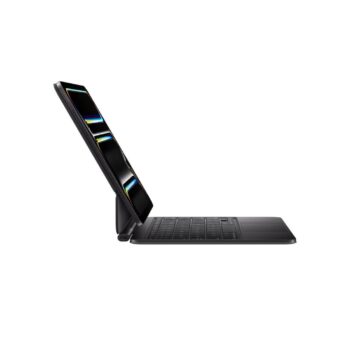
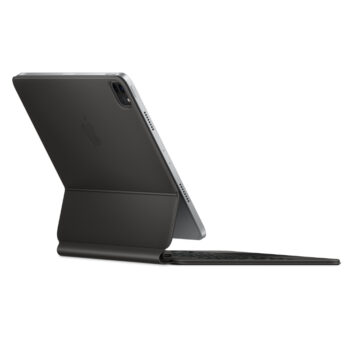
- Apple Magic Keyboard – Productivity combo for iPad
- Apple Pencil Tips – Replacement for Pencil USB-C
🌐 Learn More
Bestsellers


Sale



Reviews
There are no reviews yet.