

Apple Magic Keyboard with Touch ID (non Numeric)
Apple Magic Keyboard with Touch ID (Non-Numeric) – Seamless, Secure, & Stylish Typing
Bring the magic of Apple to your fingertips with the Apple Magic Keyboard with Touch ID (Non-Numeric). Designed for Mac users who prioritize a compact layout, smooth typing, and next-level security, this wireless keyboard is perfect for creatives, coders, students, and professionals in Kenya.
With a sleek, minimalist build and the power of biometric authentication, it offers seamless unlocking, secure online purchases with Apple Pay, and effortless app authentication—all with just your fingerprint.
📍 Available at: Bazaar Plaza, 8th Floor, Room 853, Kimathi Street, Moi Avenue – Nairobi
📞 Contact: 0704328559
🌐 Buy Now: Magic Keyboard Collection – iPhoneCare Kenya
📧 Email: contact@example.com
📦 Product Highlights
| Feature | Details |
|---|---|
| Model | Apple Magic Keyboard with Touch ID (No Numeric Keypad) |
| Connectivity | Wireless (Bluetooth), USB-C to Lightning Cable included |
| Compatibility | M1, M2, and later Apple Silicon Macs running macOS 11.4 or later |
| Authentication | Touch ID Sensor (Unlock Mac, Password Autofill, Apple Pay) |
| Battery Life | Rechargeable – Up to 1 month on a full charge |
| Charging Port | USB-C to Lightning (Cable included) |
| Layout | Compact (without numeric keypad) |
| Build | Low-profile keys, aluminum chassis |
| Color | White with Silver or Black Keys (varies by model availability) |
🌟 Key Features
1. Touch ID Security
Easily and securely unlock your Mac, authorize App Store purchases, and log into apps with just a tap. Touch ID on a keyboard has never been so convenient.
2. Clean, Compact Design
No numeric keypad means more space for your mouse or trackpad, making it the ideal choice for minimalist workspaces or mobile setups.
3. Rechargeable Battery Life
Forget disposable batteries—this Magic Keyboard offers up to a month of use on a single charge. Recharge quickly with the included USB-C to Lightning cable.
4. Optimized for Apple Silicon
Works flawlessly with Macs running M1, M2, or later chips. Enjoy instant connectivity, zero lag, and built-in macOS support.
5. Quiet and Precise Typing
Soft, scissor-switch keys provide a satisfying, quiet typing experience with tactile feedback perfect for long emails, code, or essays.
✅ Pros & ❌ Cons
| ✅ Pros | ❌ Cons |
|---|---|
| Touch ID for Mac security | Only compatible with Apple Silicon Macs |
| Sleek and lightweight design | No numeric keypad for number-heavy users |
| Long battery life | Premium price point |
| Seamless integration with macOS | Not designed for Windows use |
| Rechargeable with USB-C | No backlight on keys |
🛠️ Perfect For:
- 💼 Remote workers & professionals who want security + style
- 🎓 Students who use MacBooks for class notes or assignments
- 🧑💻 Developers & coders who value compact keyboard layouts
- 🎨 Designers & creators who need extra space for a trackpad or mouse
📦 What’s in the Box?
- Apple Magic Keyboard with Touch ID (Non-Numeric)
- USB-C to Lightning Charging Cable
- Quick Start Guide
🛒 Related Products:
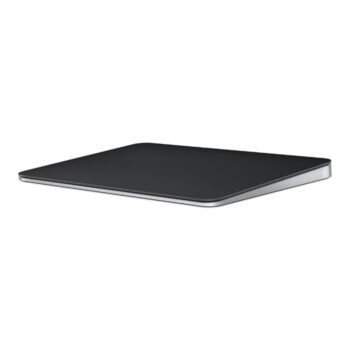
- Apple Magic Trackpad – Pair it with this keyboard
- Apple Magic Mouse 2 – Smooth and intuitive scrolling
- MacBook Air M2 – Perfect match for this keyboard
Want to learn more about compatibility? Visit the Apple Magic Keyboard compatibility page on Apple’s official site.




Reviews
There are no reviews yet.